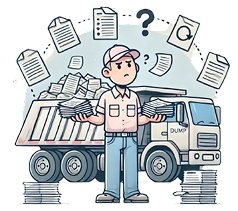
Current processes require drivers to manually record details of the job after driving all day, locate the approver, and then spend additional time in the office ensuring that tickets and invoices reach all involved parties. This results in wasted time and resources, as well as increased potential for errors and delays.
Discover why having a Tragget account is a game-changer for drivers in the trucking industry. Our platform acts as your reliable online assistant, simplifying tasks and enhancing your driving experience.
Tragget takes care of dispatching, tracking, and paperwork, freeing up your time to focus on the road.
Utilize our scheduler to plan your days ahead, providing job security and better work-life balance.
Receive real-time updates, ensuring you're always aware of job details and changes.
Minimize paperwork and reduce the chances of errors with Tragget's streamlined processes.
Connect with a vast network of trucking companies and brokers, expanding your job opportunities and speeding up payment processing.
Three reasons this is worth having on your phone — put the way they actually matter to the person driving.
Money
Rounds and hours go down as you do them, from the cab, and they are on the ticket the moment you log them. Nothing depends on an envelope of paper surviving the week, and nothing gets quietly dropped because the ticket never made it back to the office.
When the hours are queried, the record is already there with your notes on it.
Time
Log the load at the site and the paperwork for it is done — there is no run back to the depot to hand in tickets, and no evening spent writing up the day from memory.
Jobs arrive on the phone too: accept or decline a request where you are standing, instead of waiting on a phone call to find out what tomorrow looks like.
Status
When the job is done you send it for approval and can see it move — accepted, approved, closed. You are not chasing the office to find out whether your day was signed off.
Over time that record is the thing that says you turn up, log properly and do not need chasing, to every company you work for.
Here is each of them on the screen you would actually be looking at.
- The round arrives filled in. Pickup site, what you are taking out, where it dumps, what you bring back and where from — all carried down from the dispatch. Starting a round is one press, not a form.
- You can change it while you are driving it. Material out and Dump site are live pickers on the round in progress, not printed text. If the site manager moves the dump, you change it on the round you are on and the ticket follows you.
- Every round times itself, and the job adds up underneath. Each finished round keeps its own start and its own total, the round you are on counts up in front of you, and your notes sit on the round they belong to instead of at the bottom of the day.
- Review and Add Notes with Ease: After finishing your job with Tragget, effortlessly review and append any necessary notes or change the hours for approval.
- Seamless Paper Ticket Integration: If a paper ticket is needed, just snap a picture and include the ticket ID in the job description. Tragget will seamlessly incorporate the paper ticket image into the digital ticket, ensuring all vital details are in one place.
- Swift Approval Submission: Once everything is in order, submit your ticket for approval, and your part is complete!
The driving hours arrive on their own: Every blue block came off a dispatched ticket — number, start, finish. Nothing to copy out at the end of the week, and nothing you can quietly edit, because the trucking company is reading the same record you are.
The other hours are the ones that go missing: Yard, shop, wash, fuelling, standby. They belong to no ticket, so on paper they fall off first. Here you drag them onto the day — 1h 30m in the yard on the Monday, 2h 30m waiting on a mechanic on the Friday.
So the week adds up in two numbers, not one: 48h 30m on truck tickets, 4h 0m standalone. They are kept apart because they are paid apart — and the week stays a draft, in your hands, until you send it.
Same week, in the cab: It is the sheet above on the phone you already have with you. A day takes a moment at the end of it, which is the only time you can still remember what the two hours in the yard were for.
You can see the shape of the week: Each day carries a bar drawn to scale, split into the hours that sat on a ticket and the hours that did not. The Monday reads 11h 15m and says why — BC0002021 and a yard block. The week reads 52h 30m.
Then you send it: “Review & submit” hands the week to the company that dispatched you. Agreeing the hours is a separate step from being paid for them, and it comes first — which is the point, because an hour nobody agreed is an hour you argue about later.
And you invoice on your own terms: If you drive for yourself rather than for a wage, the agreed hours meet your two agreed rates on your own invoicing screen — that is the section below.
Two agreed rates, not one: Your ticket rate prices the hours that sit on a dispatched job. Yard, shop and standby time carries its own standalone rate, so the hours you spend not driving are not billed at a number that was set for driving. Each rate is an agreement with that company, with its own dates, and neither one changes unless you accept it.
You see what is actually claimable: The page leads with the money you can invoice right now, and keeps it separate from what is still collecting in the open period and what is already sitting with the trucking company waiting to be approved.
One invoice per period, oldest first: Periods close on your cycle — semi-monthly, monthly or weekly — and the one that has waited longest leads, so the money that has been owed longest is the money you send first.
You review before anything goes out: Send automatically is off unless you switch it on. “Review & send all” opens the oldest for you to check and only moves to the next once that one is sent, so you never end up with four invoices out that nobody read. Sending emails the PDF to the trucking company.
The hours these invoices are built from are the ones on the sheet above — agreed with the trucking company before they are ever billed.
With Tragget, you can get all the information you need to stay on top of your job. All the important data is right at your fingertips, so you can stay safe and productive. Tragget is your online assistant, helping your to focus on the job. So get ready for a driver's journey that's always prepared.
Get readyBecome part of our growing community of drivers and trucking professionals. With Tragget, you can manage your work seamlessly, provide better service to trucking companies and communicate easy to all stakeholders. Take control of your schedule, explore more job opportunities, and experience a smoother journey in the trucking industry.